
Fabrico (production tooling) · Apparel
Slicing wall-sized patterns onto A4 — cut to storefront
Sewing patterns are designed at full size — often A0–A1 — but home printers only do A4. Poster Splitter takes one big PDF and lays it out across dozens of A4 sheets that overlap by a set margin, so they glue back into the exact original at 100% scale. Built for a real sewing-pattern shop, the output matches what the industry expects: assembly rectangles, glue bands and numbered sheets — plus a companion WooCommerce plugin that pushes finished patterns straight into the store.
Inside the product
The gap
There was already a program — but it was broken. A Go/Fyne build mangled vector content with the gopdf/gofpdi libraries, shifted regions and printed off-scale, with a janky UI and fragile packaging. And the finished patterns still had to reach the store, split across a 2-D size × height matrix of product variations.
The insight
The fix wasn't patching the old tool — it was a clean rewrite on a PDF engine that clips and places regions at true 1:1 scale, keeping text and cut lines vector. And on the store side, each variation's own attribute slugs could decide which file belongs to it — one rule for the whole catalogue.
A product tour
Vector-accurate tiling
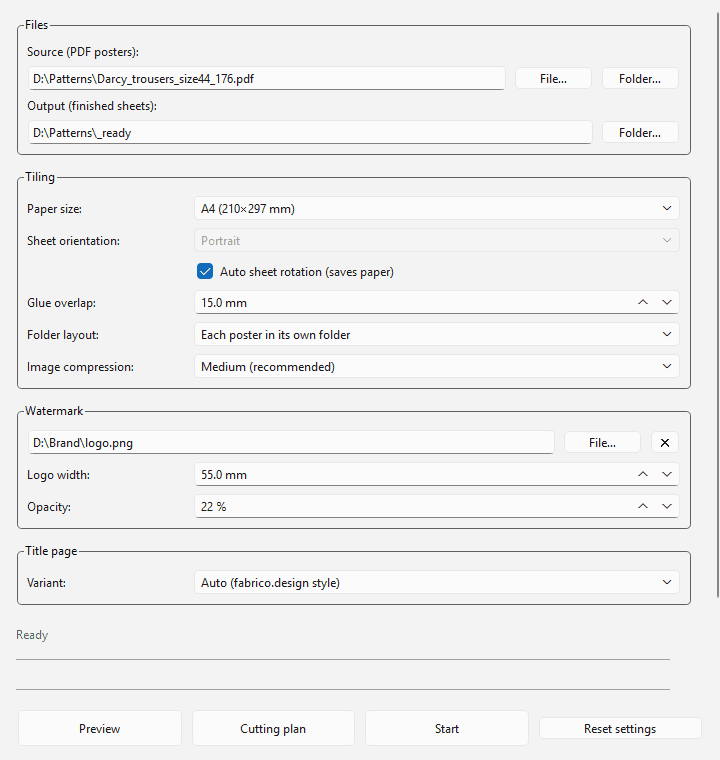
Rebuilt from scratch on PyMuPDF, which clips and places PDF regions at true 1:1 scale. Text and cut lines stay vector — never rasterised — with a configurable glue margin and auto paper-saving orientation that reports exactly how many pages it saved.
Pattern-shop conventions
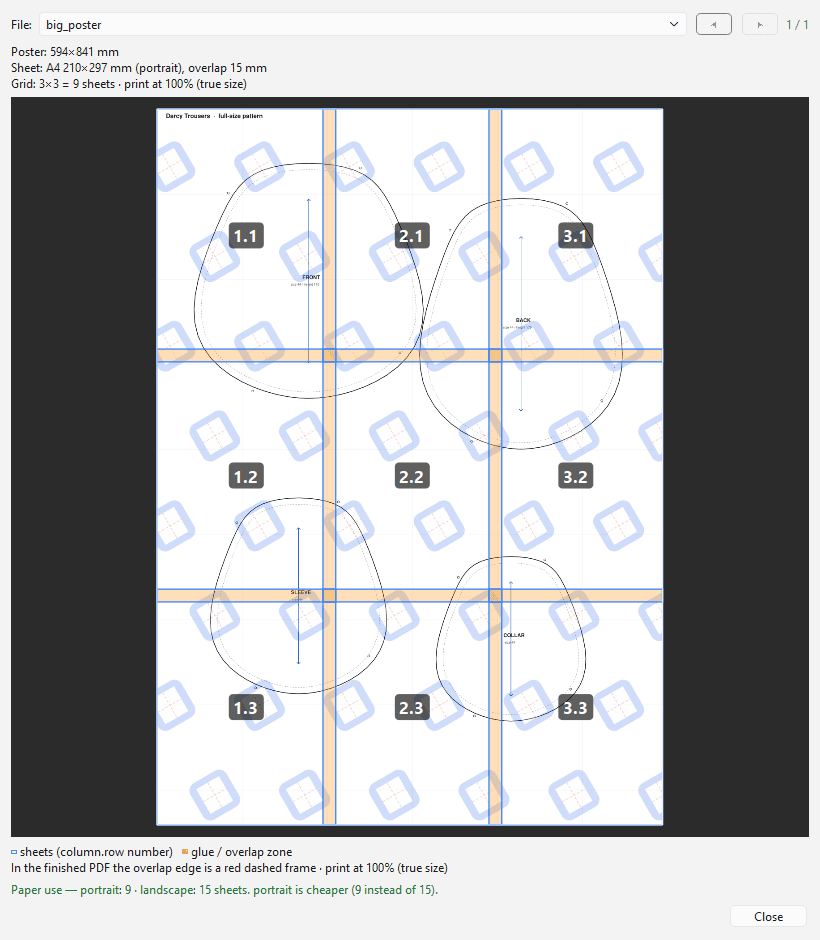
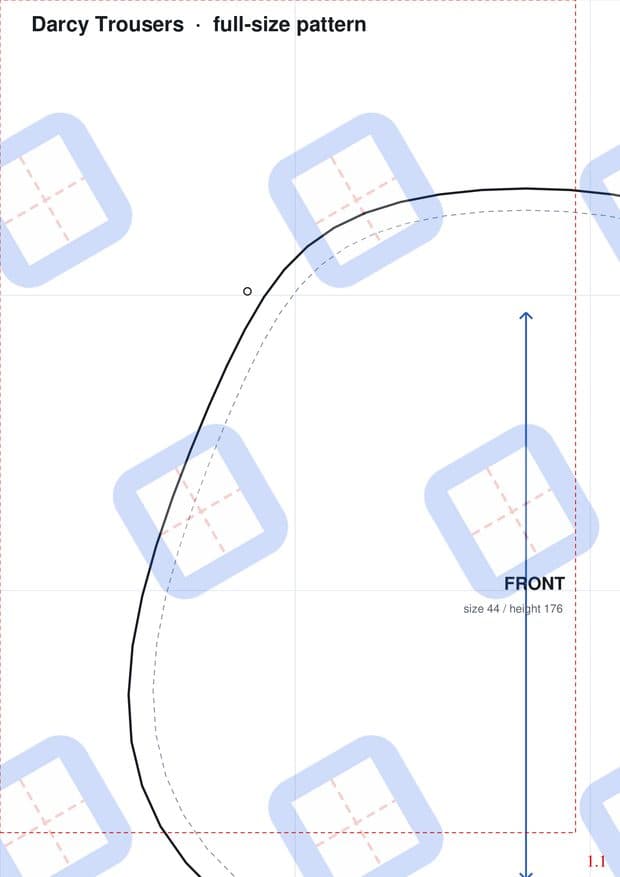
One red dashed assembly rectangle per sheet plus a big column.row number, a pre-slice preview showing the cut grid and overlap bands over the real poster, a tiled logo watermark, and a calibration title page whose 10 cm test square is never rescaled.
One-click Windows installer
Ships as a standalone .exe via Inno Setup — no Python or libraries on the target PC — with a bilingual installer, shortcuts and an uninstaller. A threaded worker keeps the UI responsive with live progress and cancel.
Companion: the Pattern Uploader plugin
Cutting the pattern is only half the job. A WooCommerce plugin uploads dozens of finished PDFs into the right product variations in one operation, matching by slug tokens: a file attaches to a variation if every one of that variation's tokens appears in the filename — with a dry-run preview, idempotent re-runs and paid-only delivery.
Under the hood
The matching insight
Products split by both size (XXS…XXL) and height (158/176/182…), so variations form a grid. Guessing where size and height sit in a filename is hopeless across a catalogue — so the variation's own slugs decide, with size spellings canonicalised (xxl ≡ 2xl) on both sides and all/sizes treated as a wildcard axis.
Clean, testable modules
Tiling math, watermark, title generation, the paper catalogue and the batch pipeline are each isolated and independently testable, with the heavy work on a background QThread. The plugin is ~1,300 lines across six focused classes, its matching core ported from an earlier Python prototype.
How it went
Broken Go/Fyne app
Buggy output and a rough UI — the decision was made to rewrite from scratch rather than patch.
Core rewrite
Tiling engine on PyMuPDF + PySide6, watermark, title pages, batch pipeline, preview and cutting-plan report — packaged into a Windows installer.
Iterations & the plugin
An image-compression optimiser, output restyled to real sewing-pattern references, then the Fabrico Pattern Uploader that solved the size×height matching the desktop app had dropped.
Stack & channels
Services behind this
The outcome
From a broken Go tool to a shipped two-part suite: cut full-size patterns onto A4, then push them straight into the online store — engine, UI, installer and store integration, built end to end.
Start a project
Tell us what's missing.
One form, a real reply within 24 hours. Or book a call directly.
Other ways to reach us
- Emailhello@thnkers.com
- LinkedIn@thnkers
- Book a callcalendly.com/thnkers