
The shop was beautiful. On a phone, it wasn’t.
Fabrico sells downloadable sewing patterns. The catalogue is good, the brand is good, the website works. What didn’t work was buying a pattern on a phone — so we rebuilt the app for the phone, from the beginning.
- Services
- Custom SaaS development, E-commerce
- Year
- 2026
Results
3
platforms from one codebase — iOS, Android, web
18
screens and routes
~4.8k
lines of TypeScript
~3 weeks
for the full rebuild, redesign and multi-platform delivery
What was missing
Customers browse and buy sewing patterns on phones, quickly, between other things. The existing app was functional but felt like a website pressed into a smaller space. Patterns are variable products sold by size and height, and selecting the right combination meant navigating a multi-step table. Content, size charts, guides and downloads lived outside the purchase flow.
Before
- A functional app that felt like a website in a smaller space
- Catalogue-dump browsing rather than merchandised discovery
- A multi-step size-and-height table on variable products
- Content, guides and downloads living outside the shop
The insight
If the mobile experience is slow, confusing or simply not pleasant, the sale doesn’t happen — the customer goes somewhere else, or nowhere at all. A shop that opens on a product grid answers a practical question badly. The interesting work wasn’t the screens; it was making a third-party WooCommerce store behave like a first-class mobile backend.
What we built
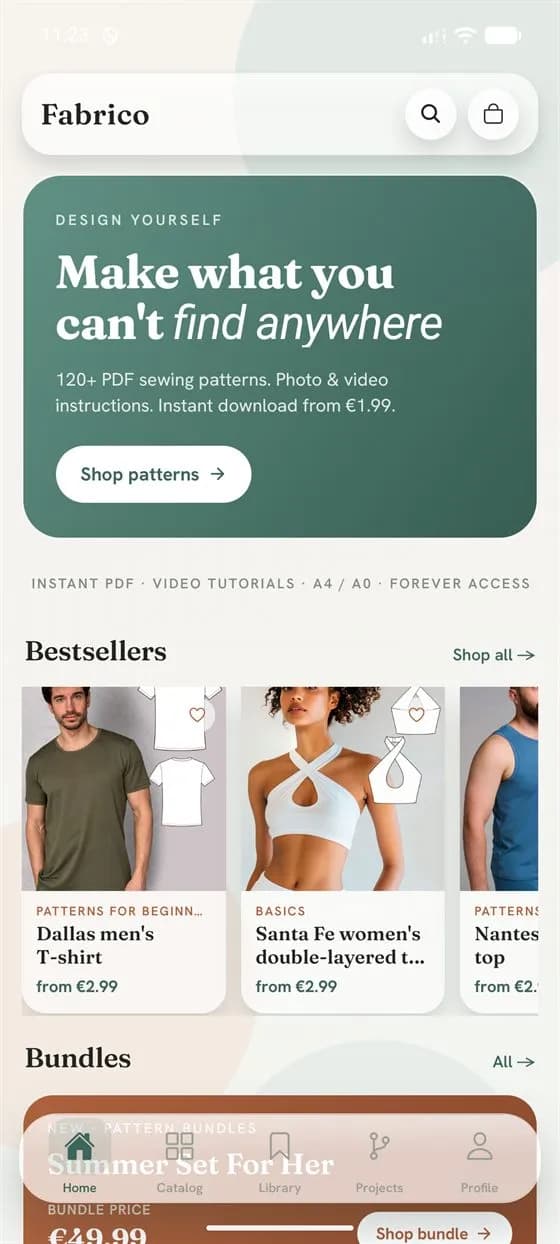
A full rebuild on React Native and Expo — iOS, Android and web from one codebase — with a design system built for how Fabrico’s customers actually use a phone. The home screen opens on a story, hero and curated bestsellers, not a catalogue dump. The product page replaces the size/height table with a live picker: choose size, choose height, the price updates immediately. A ten-question quiz maps each customer to one of six types and returns personalised recommendations plus a 20% coupon saved to the account. The Learning Hub renders the Fabrico blog natively, so a reader can buy the pattern they’ve just read about without leaving the app. Checkout was the hard part: Stripe’s hosted page can’t be embedded in a native app, so we built a session that drives the payment in the browser, watches the order until it settles, and returns the customer with the download ready.
After
- iOS, Android and web from a single React Native codebase
- A home screen that opens on a story, not a product grid
- A live size-and-height picker with the price updating as you choose
- A quiz that turns a browsing visit into a personalised starting point
- Real Stripe checkout with order polling and a downloads library
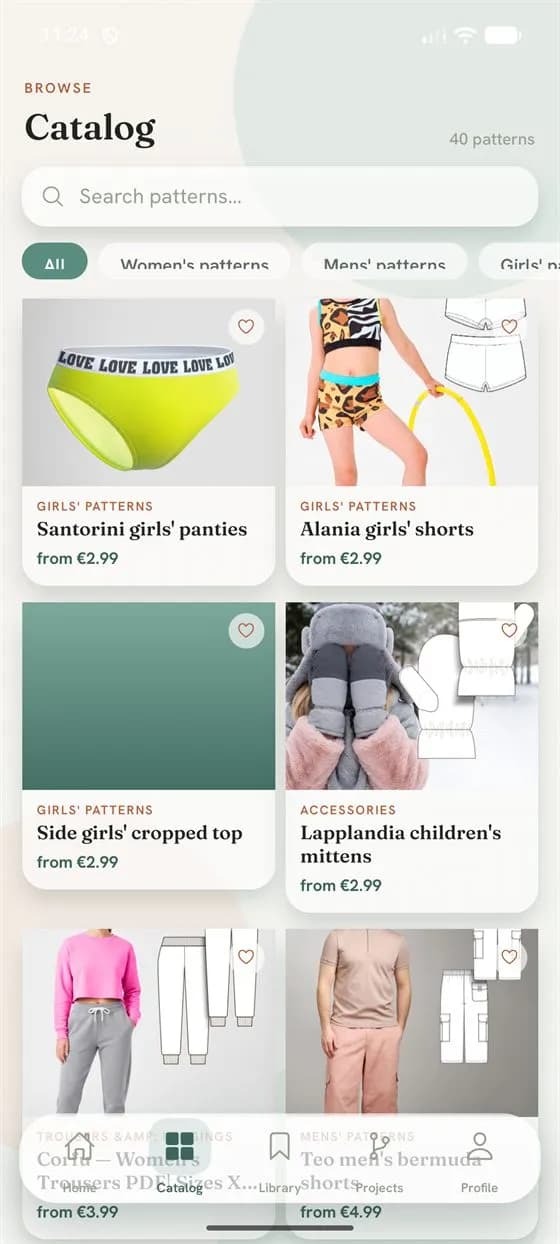
The catalogue screen: search, category filter chips and a grid of patterns with prices. 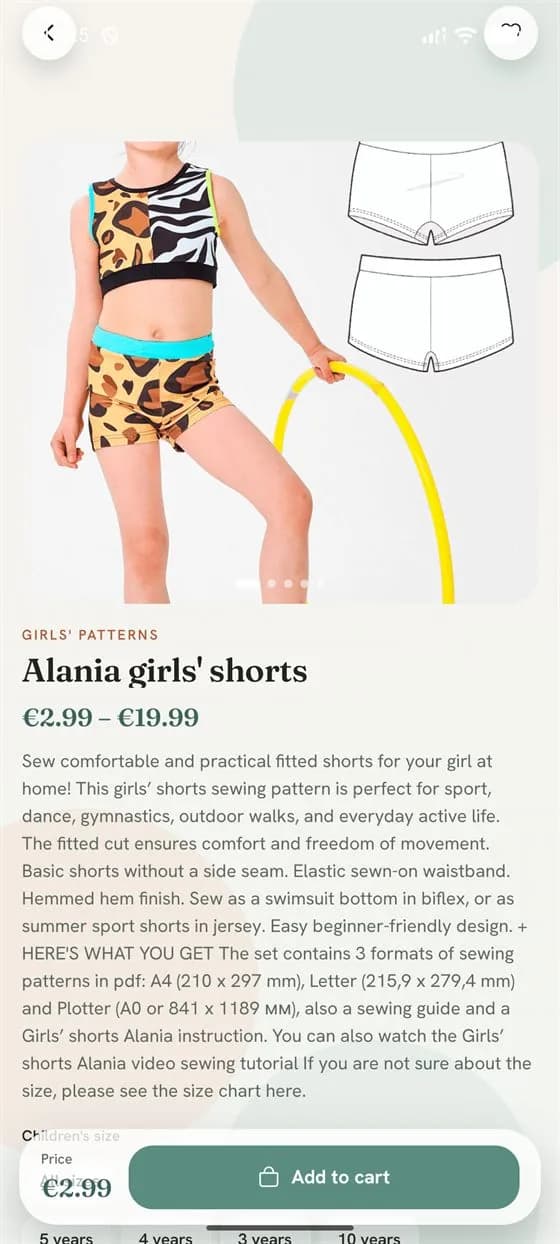
A product page for girls' shorts, with the technical drawing, price range and size picker. 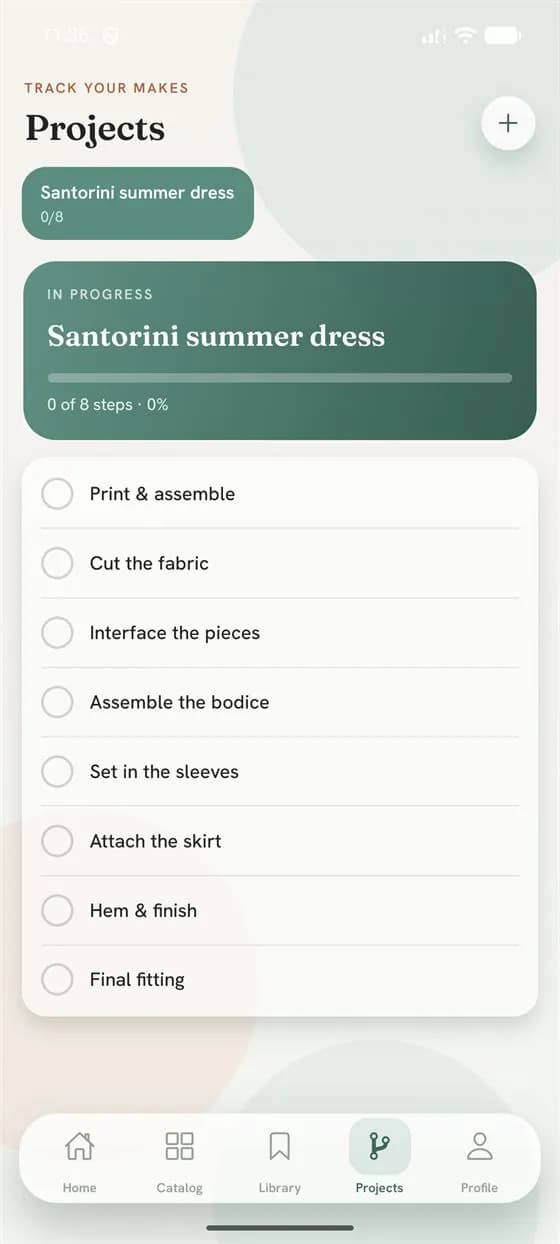
The projects screen, tracking an eight-step sewing checklist with a progress bar.
Stack
Next case
The criteria were in the teacher’s head. That was the problem.Alfakom Learning Center
Read the caseContact
Want one of these?
Tell us what is not working. We will tell you what we would do about it.
- Response time
- We answer within one working day.
- How we work
- A remote-first team across EU and US time zones. Everything runs online — your meetings happen where your team already is.