
They asked for a payment button. We looked at what they actually had.
A music school in Minneapolis asked us to add online payments to its website. We looked first — and found the payment button wasn’t the problem. The data underneath it was.
- Services
- Research and analytics, Custom SaaS development
- Year
- 2026
Results
3
roles — administrator, teacher, parent — each with their own interface
2
locations run by a single administrator
0
manual payment calculations
1
expensive off-the-shelf subscription cancelled
What was missing
The school ran an off-the-shelf CRM built for a gym or a clinic — fixed schedules, regular payments, few cancellations. A music school is none of that: most lessons are private and one-on-one, and the schedule moves constantly. The platform couldn’t handle it, so the director handled it by hand — every reschedule, cancellation and payment query routed through one person’s phone, on an expensive subscription whose features went largely unused.
Before
- The director manually ran scheduling, payments and lesson changes
- Every private-lesson cancellation meant calls and messages
- An off-the-shelf CRM built for a business a music school isn’t
- A CRM full of inherited fields that didn’t describe this school
- An expensive subscription for features that went largely unused
The insight
When we looked at the data the school kept in the CRM, most of it wasn’t useful: fields nobody read, categories that didn’t map to how the school thought about its students, structures imported wholesale from a template. The school was describing itself in someone else’s system, badly. The payment button wasn’t the problem — the data underneath it was.
What we built
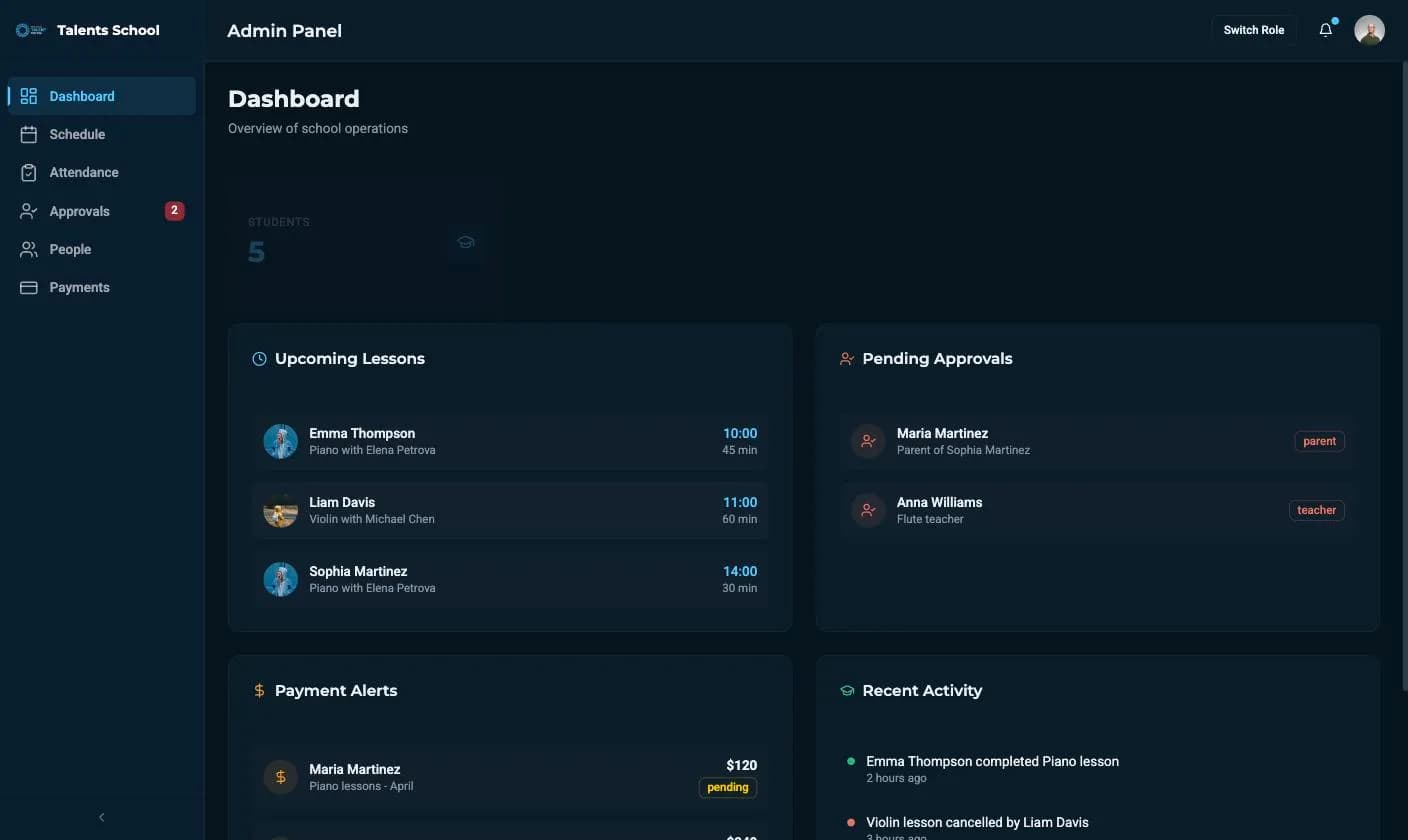
We built a CRM on Directus around the school’s actual processes. First we went through every field with the director — is this used, is this number checked — and kept only what survived. The data model is students, teachers and lessons; payments are tied to specific lessons with paid, pending and overdue statuses calculated automatically, and period totals appear without anyone counting. Scheduling is a weekly calendar with a teacher filter; adding or rescheduling a lesson takes two taps. Three roles each see their own view: the administrator sees both locations, the teacher sees their day and manages their own availability, and the parent books in three steps — pick a child, a duration, a time — with the request landing in the administrator’s approval queue and appearing on both calendars once approved. Because it’s Directus, a new field, report or third location doesn’t mean switching platforms.
After
- A data model that describes this school, not a template
- Payments tied to specific lessons, statuses and totals calculated automatically
- Reschedules and bookings handled by each participant from their phone
- Two locations run by one administrator from a single dashboard
- New fields, reports and locations addable without switching platforms
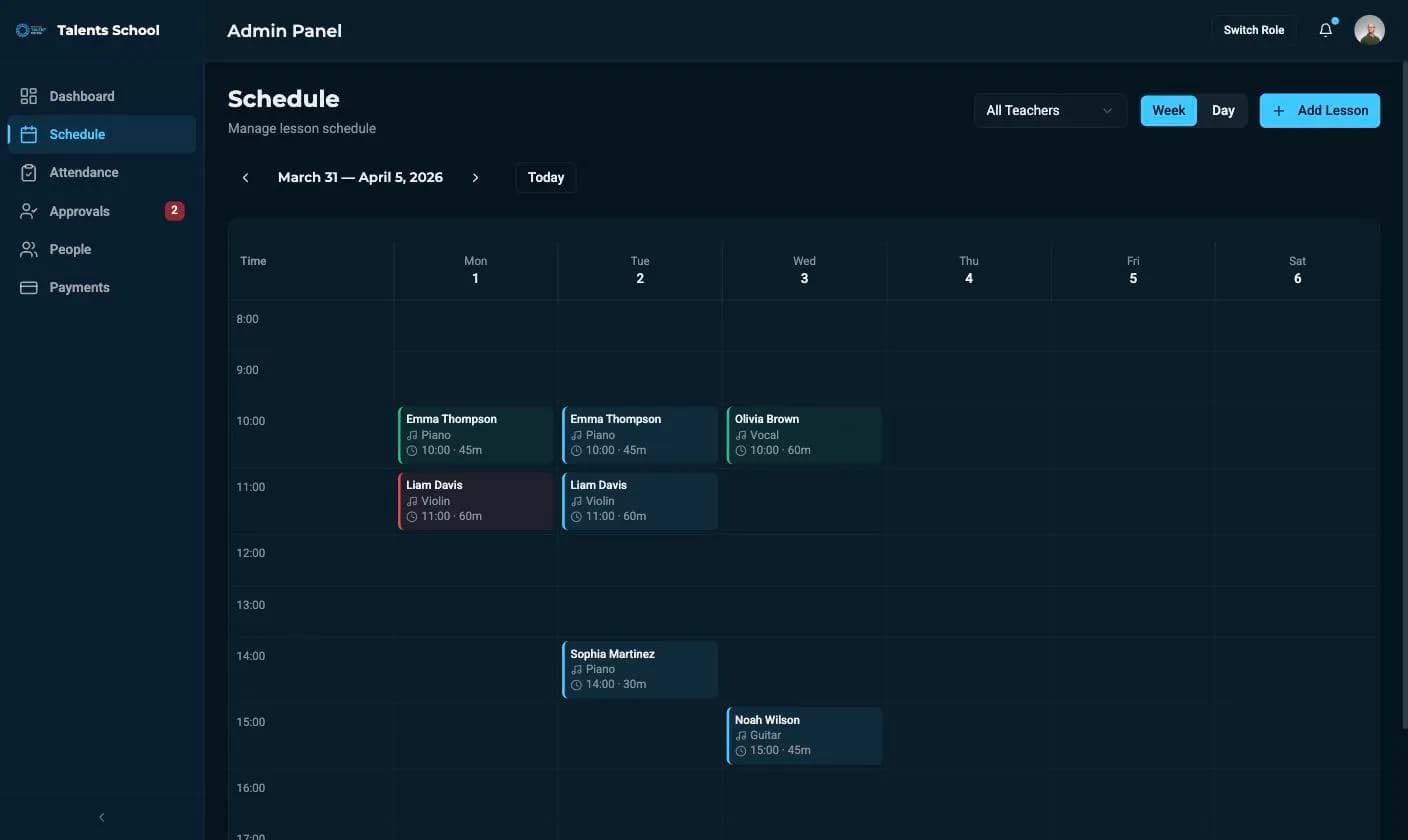
The weekly schedule grid, with colour-coded lessons and a day or week toggle. 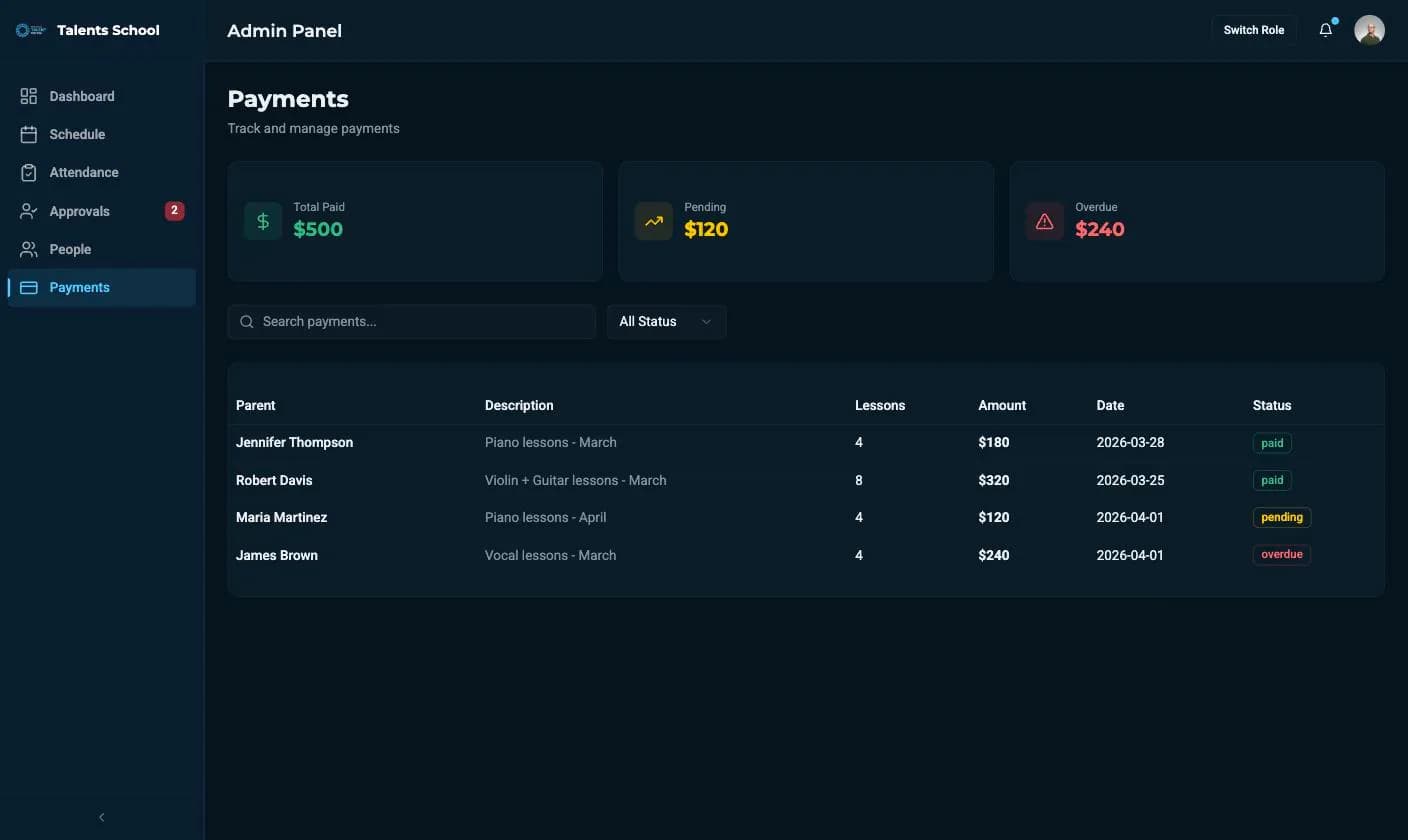
The payments view: paid, pending and overdue totals above the payment table. 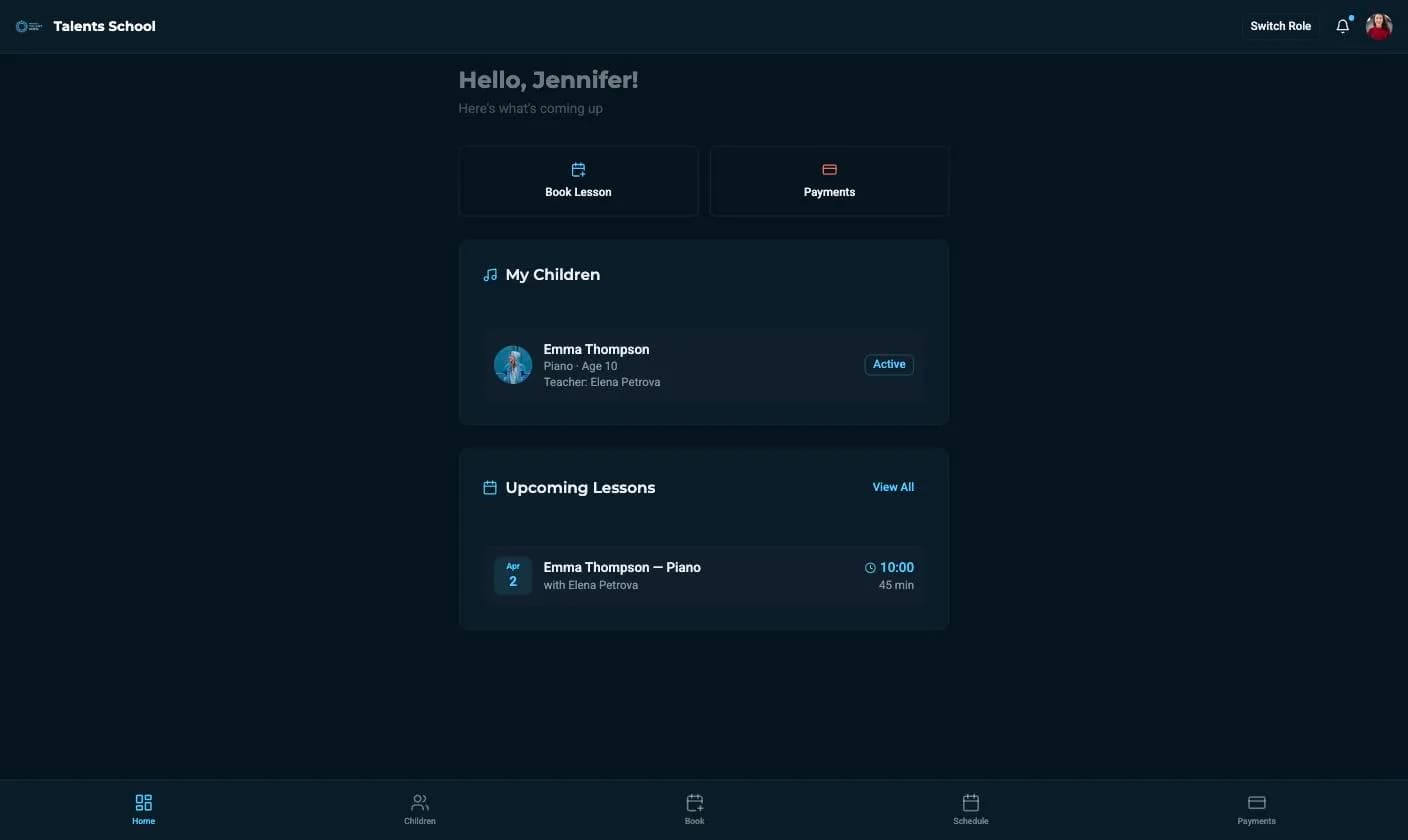
The parent's app: book a lesson, pay, and see each child's upcoming lessons.
Stack
Next case
A sewing pattern is full size. A home printer is not.Fabrico
Read the caseContact
Want one of these?
Tell us what is not working. We will tell you what we would do about it.
- Response time
- We answer within one working day.
- How we work
- A remote-first team across EU and US time zones. Everything runs online — your meetings happen where your team already is.